
Mastering Examination Roblox Controls: The Ultimate Movement and Survival Guide
Learn the essential Examination Roblox controls, advanced movement techniques, stamina systems, and ONE-MAN-ARMY skills to survive the tunnels.
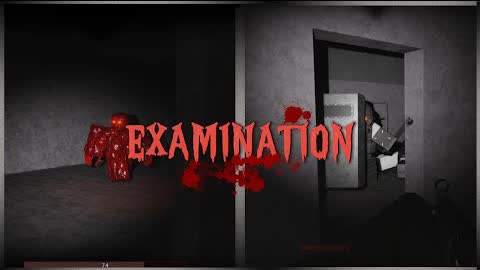 Gameplay videoLearn the essential Examination Roblox controls, advanced movement techniques, stamina systems, and ONE-MAN-ARMY skills to survive the tunnels.YouTube
 Surviving the dark, unforgiving depths of the tunnels requires more than just quick reflexes; it demands a flawless grasp of your character's physical capabilities. In a high-stakes survival horror game where every second counts, mastering the examination roblox controls is the difference between escaping a hostile threat and meeting a grim end. Whether you play on PC or console, optimizing your layout and understanding how to execute advanced maneuvers with the correct examination roblox controls will keep you one step ahead of the terrors lurking in the shadows.
This comprehensive guide breaks down every movement mechanic, control scheme, and advanced character action available in the game, which can be played directly on the official Roblox gaming platform. From basic navigation to high-tier athletic feats, here is everything you need to know to survive.
Basic Movement Layout: PC vs. Console
To help you navigate the game's dark and narrow corridors, we have compiled the full list of examination roblox controls below. Depending on your preferred gaming rig, your inputs will vary significantly.
Understanding how these examination roblox controls translate to different devices is crucial for maintaining your situational awareness. PC players enjoy a wider array of dedicated keys, while console players benefit from the ergonomic layout of a controller.
PC Keyboard & Mouse Controls
For computer players, precision is key. The default keyboard layout places all essential survival actions within easy reach of your left hand, leaving your right hand free to aim and look around.
| Command / Action | Keybind | Tactical Purpose & Notes |
|---|---|---|
| Character Movement | W, A, S, D | Standard directional movement through the environment. |
| Lean Left / Right | Q / E | Shifts camera and weapon to peek around corners while staying behind cover. |
| Crouch | Ctrl or C | Lowers your stance; essential for entering low crawlspaces. |
| Standard Sprint | Shift | Increases movement speed; drains stamina gradually. |
| Tactical Sprint | Double-Tap Shift (Hold) | Maximum speed boost; drains stamina rapidly but works at any stamina level. |
| Slide | X | Requires "ONE-MAN-ARMY" achievement; executed while sprinting. |
| Toggle Night Vision | N | Requires "ONE-MAN-ARMY" achievement; illuminates dark areas. |
| Unlock Mouse Cursor | P | Frees your mouse pointer to interact with menus or UI elements. |
| View Health & Stamina | Hold Tab | Displays active resource bars on your screen. |
| Reset Character | R | Resets your character; requires you to stand completely still for 10 seconds. |
Console Controller Layout
Console players use a streamlined controller map. While some advanced features like leaning are currently unmapped on controller configurations, the core movement mechanics remain highly responsive.
| Command / Action | Controller Input | Tactical Purpose & Notes |
|---|---|---|
| Character Movement | Left Stick (LS) | Analog directional movement with variable speed. |
| Lean Left / Right | Currently Unmapped | Not available on console layouts at this time. |
| Crouch | R1 | Lowers your stance to navigate tight passages. |
| Standard Sprint | L1 | Increases movement speed at the cost of stamina. |
| Tactical Sprint | Double-Tap L1 (Hold) | Extreme speed boost; capped at a 5-second duration. |
| Slide | L3 (Press Left Stick) | Requires "ONE-MAN-ARMY" achievement; executed during a sprint. |
Advanced Movement Mechanics & Tactical Mobility
Advanced movement goes beyond simply pressing forward, and the examination roblox controls offer deep tactical options that can save your life during intense encounters. Utilizing these mechanics effectively allows you to traverse hazardous environments and outmaneuver hostiles.
The Art of Leaning
Leaning (Q and E on PC) is one of the most underutilized mechanics in the game. When you lean, your character tilts their upper body, shifting their firearm slightly to the left or right. This allows you to peek around corners, check blind spots, and fire at targets while keeping the majority of your body safe behind solid cover.
According to player experiences, leaning is exceptionally useful when dealing with enemies armed with ranged weapons. Instead of exposing your entire character model to incoming fire, you can expose only your weapon and a fraction of your head, drastically reducing the enemy's chance to hit you.
Crouching and Sliding
Crouching is a fundamental survival mechanic. It allows you to slip into low-clearance passages, air vents, and structural gaps that would otherwise block your path.
Sliding takes this a step further. By pressing the slide key (X on PC, L3 on Console) while sprinting, your character performs a rapid slide. This maneuver is perfect for quickly diving into a low passage to escape an active pursuit. Note that sliding requires the "ONE-MAN-ARMY" achievement to be unlocked first, and it features a brief cooldown to prevent spamming.
Sprinting vs. Tactical Sprinting
Sprinting is your primary method of rapid traversal, but the game features two distinct tiers of running. Understanding when to use each is vital for long-term survival.
| Feature / Metric | Standard Sprint | Tactical Sprint |
|---|---|---|
| Speed Level | High | Maximum |
| Activation Input | Hold Shift (PC) / L1 (Console) | Double-Tap & Hold Shift (PC) / L1 (Console) |
| Maximum Duration | 20 seconds (at 100% stamina) | 5 seconds (hard limit) |
| Stamina Requirement | Requires active stamina | Can be activated at any stamina level |
| Cooldown Period | None (dependent on stamina) | None |
Standard sprinting is best used for covering long distances when you know the path ahead is relatively clear. It gives you a steady, manageable speed boost that can last up to 20 seconds on a full stamina bar.
Tactical sprinting, on the other hand, is your escape button. It propels your character forward at extreme speeds. Because it can be activated even when your stamina is completely depleted, it serves as a clutch survival tool when you need to put distance between yourself and a sudden threat. However, because it automatically forces your character to stop sprinting after 5 seconds, timing is everything.
Unlocking the ONE-MAN-ARMY Skill Suite
Unlocking these features elevates your gameplay, making the standard examination roblox controls feel much more dynamic. The "ONE-MAN-ARMY" achievement is a major milestone in the game, unlocking a suite of powerful physical interactions. Once you have earned this achievement, your movement kit expands to include high-impact physical maneuvers.
| Advanced Action | Input Method | Achievement Requirement | Tactical Effect |
|---|---|---|---|
| Slide | X (PC) / L3 (Console) | ONE-MAN-ARMY | Rapidly slide under low obstacles; consumes 10% flat stamina. |
| Kick | Bash, then double-tap Bash within 2 seconds | ONE-MAN-ARMY | Executes a heavy kick to stagger or push back enemies. |
| Door Bash | Tactical sprint directly into a non-kick door | ONE-MAN-ARMY | Instantly rams open a door; the door automatically closes itself after a few seconds. |
| Shoulder-Check | Ram an enemy during a Tactical Sprint | ONE-MAN-ARMY (Legacy) | Knocks down and ragdolls an enemy for several seconds upon contact. |
How to Use ONE-MAN-ARMY Actions Effectively
- The Tactical Door Bash: If you are being chased by an entity, do not stop to manually open doors. Initiate a tactical sprint and ram directly into non-kick doors. This allows you to maintain your momentum, and because the door automatically swings shut behind you, it will naturally slow down any pursuers.
- Defensive Kicking: When cornered, performing a bash followed by a rapid double-tap of your bash key within two seconds executes a kick. This is highly effective for creating space and staggering aggressive hostiles.
- Legacy Shoulder-Checking: While considered a legacy mechanic in certain builds of the game, sprinting directly into an enemy to ragdoll them remains a powerful, high-risk crowd-control option.
Stamina Management and Resource Recovery
Every physical action you take drains your stamina pool. If you let your stamina deplete entirely, your character enters an "Exhausted" state. While exhausted, you cannot sprint, tactical sprint, or slide, leaving you highly vulnerable to attack.
To keep track of your physical limits, hold the Tab key on PC to display your stamina and health bars.
Stamina Drain and Recovery Rates
| Action / State | Stamina Drain Rate | Recovery Rate | Time to Empty / Full |
|---|---|---|---|
| Sprinting / Tactical Sprinting | 5% per second | N/A | 20 seconds (from 100% to 0%) |
| Normal Recovery | N/A | ~5% per second | ~25 seconds (from 2% to 100%) |
| Exhausted Recovery | N/A | ~14% per second | ~14.2 seconds (from 0% to 100%) |
| Sliding | 10% (Flat Cost) | N/A | Instant consumption |
The Exhaustion Paradox
An interesting mechanic noted in community reports is the recovery rate of the exhausted state. While running out of stamina completely is dangerous, the game actually rewards you with a significantly faster regeneration rate once you hit 0%.
As of a major balance update on January 26, 2026, the recovery rate while exhausted was increased to roughly 14% per second. This means that if you completely empty your stamina bar, you will recover back to full strength in just over 14 seconds—nearly twice as fast as waiting for normal recovery to kick in from a low, non-zero stamina state.
Mastering the examination roblox controls is only the first step; learning how to cycle your stamina between standard runs and forced exhaustion recovery is what separates novice players from seasoned veterans.
Tactical Survival Tips for High-Level Play
By utilizing these tips alongside the standard examination roblox controls, you can maximize your efficiency and survival rate in the game's toughest sectors:
- Always Monitor Your Resources: Get into the habit of holding Tab periodically. Knowing exactly how much stamina you have left before entering a dangerous room prevents you from getting caught flat-footed.
- Use the Reset Feature Wisely: The reset button (R on PC) is a great tool if your character gets stuck in the geometry or if you need a clean start. However, because it requires you to stand completely still for 10 seconds, it cannot be used to escape an active chase.
- Keep Your Mouse Unlocked in Menus: If you need to quickly adjust settings or interact with complex in-game interfaces, tapping P will immediately free your cursor, preventing accidental character movement.
- Chain Slides with Tactical Sprints: Use a tactical sprint to build maximum velocity, then transition into a slide to slip under obstacles. This allows you to maintain high speed while minimizing your physical profile.
Frequently Asked Questions
How do I slide using the examination roblox controls?
To slide, you must first unlock the "ONE-MAN-ARMY" achievement. Once unlocked, initiate a standard or tactical sprint, then press X on PC or press the Left Stick (L3) on console. Sliding consumes a flat 10% of your stamina bar.
Are the examination roblox controls fully compatible with controllers?
Yes, the game features robust console support. However, some advanced mechanics, such as leaning left and right, are currently unmapped on console controller layouts. Standard movement, sprinting, crouching, and sliding are fully supported.
What is the difference between Sprint and Tactical Sprint?
Standard sprinting increases your speed and can be maintained for up to 20 seconds on a full stamina bar. Tactical sprinting is even faster, lasts for a maximum of 5 seconds, features no cooldown, and can be activated at any stamina level (even when exhausted).
How do I unlock the night vision and advanced door bash actions?
These advanced actions are locked behind the "ONE-MAN-ARMY" achievement. Once you earn this achievement, you can toggle night vision by pressing N on PC, and you can instantly bash doors open by tactical sprinting directly into them.
Related Guides
Examination Roblox All Badges: A Comprehensive Guide to Unlocking Every Achievement
Looking for a complete list of Examination Roblox all badges? Discover which achievements you can earn right now and which ones remain hidden.
Examination Roblox Tips: The Ultimate Survival Guide for the WE-30 Outbreak
Master the irradiated halls of Menlo with our Examination Roblox tips. Learn boss strategies, class builds, and survival tactics for the WE-30 outbreak.
Examination Roblox: How to Get Underequipped Achievement and Survival Tips
Master the Examination Roblox how to get underequipped challenge with our comprehensive guide to sectors, gear management, and rare badge hunting.
Examination Roblox: How to Play This Intense PvE Horror Shooter Guide
Master the irradiated halls of Menlo in Examination on Roblox. Learn how to play, manage your gear, and survive the WE-30 outbreak with our expert guide.